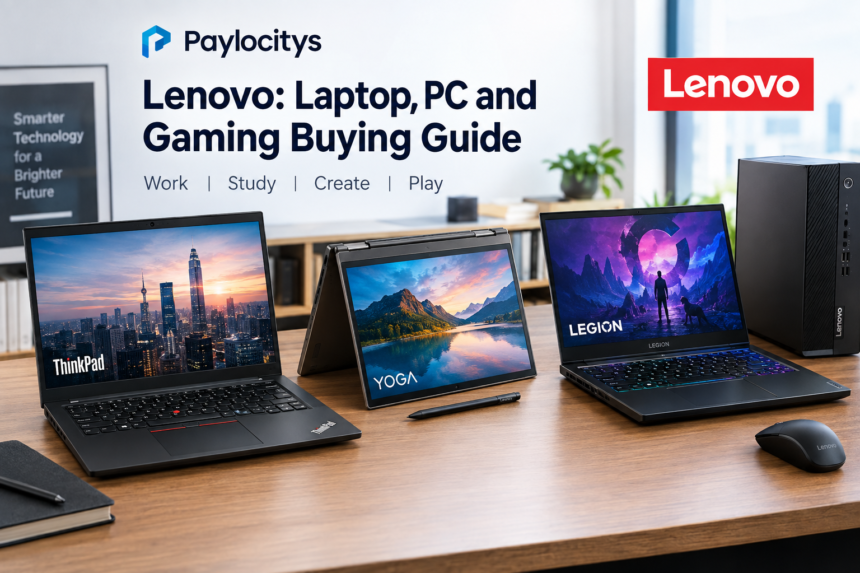
Lenovo is one of the major PC manufacturers serving consumers, professionals, students and gamers. Its product range includes business laptops, everyday notebooks, 2-in-1 devices, gaming systems, desktops, workstations, tablets and accessories. If you are researching Lenovo before buying a computer, the main challenge is understanding which product family fits your needs rather than simply choosing the newest model.
The company currently offers several distinct laptop lines, including ThinkPad, Yoga, IdeaPad, LOQ and Legion. Each targets a different type of user, with differences in design, performance, portability and features.
What is Lenovo known for?
Lenovo is best known for its broad computer portfolio and its ThinkPad business laptop heritage. Today, its lineup extends well beyond traditional office machines. Buyers can choose from lightweight laptops, convertible 2-in-1 computers, gaming notebooks, desktop PCs and professional workstations.
The product families are useful starting points because they help narrow down the choices:
| Product family | Typical focus | Suitable for |
|---|---|---|
| ThinkPad | Business and productivity | Professionals and business users |
| Yoga | Premium and flexible designs | Students, creators and everyday users |
| IdeaPad | General-purpose computing | Home, school and everyday tasks |
| LOQ | Accessible gaming | Casual and mainstream gamers |
| Legion | Higher-performance gaming | Serious gaming and demanding workloads |
These categories are not absolute rules. Specifications vary considerably between generations and individual configurations, so checking the exact model is essential before purchasing.
ThinkPad: built around productivity
ThinkPad is one of the most recognizable Lenovo laptop families. It is primarily associated with business computing, productivity and professional use.
Current ThinkPad options include models such as the T14, T16, E14, E16, X1 Carbon and P-series workstations. Lenovo’s current catalog shows configurations using different processors, screen sizes and platform options.
For office work, a ThinkPad can make sense when factors such as keyboard usability, connectivity, portability and business-oriented features matter. More powerful P-series models are designed for professional workloads where additional computing capability is important.
The right model depends on the applications you use. Someone working mainly with documents and browser tabs does not necessarily need the same hardware as a designer, engineer or developer running demanding applications.
Yoga and IdeaPad: flexible everyday choices
Yoga products focus heavily on flexible designs, including 2-in-1 computers that can switch between traditional laptop and tablet-style modes. Lenovo’s current range includes Yoga 7i 2-in-1 models, Yoga Slim systems and Yoga Pro products.
This makes the family particularly interesting for people who value portability, touch functionality or a more versatile design.
IdeaPad occupies a broader everyday-computing space. Models are available with different processors, screen sizes and configurations, allowing buyers to choose hardware according to their budget and workload.
For schoolwork, web browsing, documents, video calls and general home computing, the important specifications are usually the processor, memory, storage, display and battery characteristics rather than the brand name alone.
💡 Pro Tip: Compare the exact processor, RAM, storage and display specification before buying. Two laptops from the same Lenovo family can deliver very different experiences because their configurations may differ substantially.
Legion and LOQ for gaming
Gaming is another major part of Lenovo’s current portfolio. Legion systems are positioned toward higher-performance gaming, while LOQ provides additional gaming-focused options.
Current Lenovo listings include Legion 5, Legion 5i, Legion 7i, Legion Pro models and Legion Go gaming hardware. The catalog also includes LOQ laptops in several configurations.
Gaming buyers should pay particular attention to the graphics processor, processor class, cooling design, display refresh rate, memory and storage. A powerful graphics chip can be especially important for modern games, while a fast display may improve the experience in titles where high frame rates matter.
It is also worth checking the exact power configuration. Laptop versions of the same graphics processor may not perform identically because manufacturers can configure power limits and cooling differently.
What should you check before buying?
The best Lenovo computer depends on the work you expect it to perform. Start with your actual requirements instead of choosing based on a product family alone.
For basic productivity, look for a modern processor, sufficient memory and an SSD. Students may also want to prioritize weight and battery life if the computer will be carried between classes or study locations.
For creative work, check the processor, graphics capability, display characteristics, memory capacity and available ports. For gaming, the graphics processor and display deserve particular attention.
For business use, consider keyboard quality, connectivity, security features, warranty coverage and compatibility with your organization’s software.
Lenovo’s official support system also provides drivers, documentation, troubleshooting resources, warranty lookup and product identification tools for supported devices.
A simple buying checklist
Before placing an order, check:
- Exact processor model
- RAM capacity and whether it can be upgraded
- SSD capacity
- Display size and resolution
- Graphics hardware
- Battery specifications
- Available USB and display connections
- Wireless connectivity
- Weight and dimensions
- Warranty and regional support
Specifications can vary between the US and UK markets, so buyers should verify the configuration listed for their particular region.
Is Lenovo suitable for different types of users?
There is no single Lenovo computer that is ideal for everyone. The breadth of the lineup is actually the more important consideration.
A business professional may prioritize a ThinkPad, while a student could prefer an IdeaPad or Yoga model. Someone interested in gaming may look toward LOQ or Legion. A professional running demanding technical applications may need a ThinkPad P-series workstation or desktop workstation instead.
Lenovo’s current product catalog illustrates how extensive the range has become, covering laptops, desktops, workstations, tablets, monitors, accessories and gaming products.
📌 Key Takeaway: Lenovo offers several product families for different workloads, so the most useful comparison is between exact configurations rather than simply comparing brand names or series labels.
Frequently Asked Questions
Is Lenovo a good brand for laptops?
Lenovo offers laptops across business, consumer, gaming and professional categories. The appropriate choice depends on the individual model, specifications, intended workload and support requirements.
Which Lenovo series is designed for business users?
ThinkPad is Lenovo’s major business-oriented laptop family. It includes several lines designed around different combinations of portability, productivity and professional performance.
Which Lenovo laptops are designed for gaming?
Legion and LOQ are Lenovo’s main gaming-focused laptop families. Specific performance depends on the processor, graphics hardware, cooling system, display and configuration.
Does Lenovo make 2-in-1 laptops?
Yes. The Yoga family includes 2-in-1 models that support flexible laptop and tablet-style use. Current offerings include Yoga 7i 2-in-1 models.
Where can I get Lenovo product support?
Lenovo provides regional support websites with product identification, drivers, documentation, troubleshooting, warranty lookup and repair-related resources.
Conclusion
Choosing Lenovo equipment starts with identifying the workload, not simply selecting a popular model. ThinkPad focuses strongly on professional computing, Yoga emphasizes flexible designs, IdeaPad covers everyday use, and LOQ and Legion address gaming needs.
Once you know what you need the computer to do, compare the exact processor, memory, storage, display, graphics and support configuration. That approach makes it easier to select a Lenovo system that matches your requirements and budget.