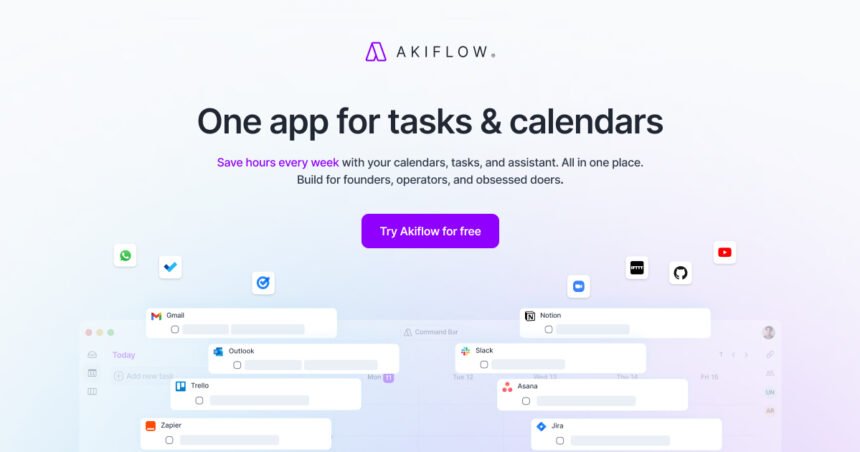
Akiflow is a productivity app that brings tasks, calendars, scheduling and time blocking into one workspace. It is aimed at busy professionals and teams that want to turn a long task list into a realistic daily schedule. The platform also includes a Universal Inbox for collecting work from connected services and an AI assistant called Aki.
For anyone comparing productivity tools, the key question is whether combining task management and calendar planning fits the way they already work. This guide covers the main features, integrations, pricing, strengths, limitations and suitable use cases.
What is Akiflow?
The platform is built around a simple idea: tasks should connect directly to time on a calendar. Instead of keeping a to-do list separate from appointments, users can plan tasks into specific calendar slots and adjust the schedule when priorities change.
The service supports tasks, subtasks, deadlines, priorities, recurring work, projects, tags and time estimates. Its calendar can show meetings alongside planned work, giving users a clearer view of commitments and available working time.
The platform is available through Windows and macOS apps, a browser experience, and mobile apps for iOS and Android.
How does Akiflow work?
The core workflow is capture, organize, plan and execute. The Universal Inbox can collect tasks from supported services, while quick-capture tools can turn emails, messages, text or URLs into tasks. Supported integrations include Google Calendar, Outlook, Gmail, Slack, Microsoft Teams and Zoom.
After a task is captured, users can assign a date, duration, deadline, priority or project. Time blocking then places the work on the calendar. If plans change, tasks can be moved or rescheduled instead of remaining as disconnected items on a static list.
Key features at a glance
| Feature | What it does | Useful for |
|---|---|---|
| Calendar | Combines meetings and planned work | Daily scheduling |
| Task management | Handles tasks and deadlines | Organizing work |
| Universal Inbox | Collects tasks from connected tools | Reducing app switching |
| Time blocking | Assigns work to calendar periods | Focused planning |
| Aki AI | Helps with planning and task changes | Faster scheduling |
| Integrations | Connects calendars and work tools | Centralized workflows |
Time blocking and daily planning
Time blocking is one of the platform’s defining ideas. Rather than deciding throughout the day when each task will happen, users can reserve specific periods for important work.
A task can have a planned time and duration, while recurring tasks can follow daily, weekly, monthly or custom schedules.
This approach can help people who regularly underestimate how much work fits into a day. Seeing tasks beside meetings makes available time more visible and encourages more realistic planning.
The service also includes daily planning and shutdown rituals. These features are intended to help users review unfinished work, plan the next day and build a repeatable routine.
💡 Pro Tip: Start by scheduling only your highest-priority work into fixed time blocks. Leave some open space for unexpected requests and tasks that take longer than planned.
Aki and AI-assisted productivity
Aki is the platform’s AI assistant. Current documentation says Aki can create and edit tasks, events and time slots, help plan or reschedule work, and work with details such as deadlines, priorities, projects and tags.
The company also advertises AI workflows and automated planning features. These can be useful when a schedule changes frequently because the assistant can help reorganize work rather than requiring every adjustment manually.
AI assistance does not remove the need for judgment. Users still need to decide which commitments matter, whether a suggested schedule is realistic, and what information should be stored in connected productivity services.
Integrations and task capture
A major part of the product is bringing information from multiple services into one workflow. Its official feature list includes Google Calendar, Outlook, Gmail, Slack, Microsoft Teams, Zoom, Zapier and IFTTT among supported integrations and automation options.
Task capture is equally important. Emails, messages and text can be converted into tasks, reducing the chance that reminders remain scattered across inboxes, chats and notes.
For people using several services, centralizing incoming tasks can reduce repeated checking.
Akiflow pricing
Current official pricing lists a Pro Monthly plan at $34 per month and a Pro Yearly plan at $19 per month when billed yearly. The company also advertises a seven-day free trial. Prices and offers can change, so buyers should verify the current pricing before subscribing.
The cost should be considered alongside actual usage. A simple checklist user may not need an all-in-one scheduler, while a professional coordinating many tasks may value the combined workflow.
Who is Akiflow best suited to?
The platform is particularly relevant to people whose work revolves around deadlines, meetings and changing priorities. Founders, consultants, managers, freelancers and other professionals may appreciate having tasks and appointments visible in the same planning environment.
It can also suit people who prefer time blocking and want a structured daily schedule.
However, the platform may feel unnecessary when a workflow is already simple. If you mainly need a basic checklist or calendar, adding another productivity layer could create more complexity instead of reducing it.
What are the main limitations?
The biggest consideration is workflow fit. A detailed task-and-calendar system requires setup and consistent use.
Integrations also matter. Before subscribing, check that your important calendars, communication tools and task sources are supported.
Price is another consideration. It is positioned as a paid productivity platform, so its value depends on how much time and coordination it saves.
📌 Key Takeaway: Akiflow combines task management, calendar planning, time blocking, integrations and AI assistance in one workspace. Its main appeal is connecting what needs to be done with when the work will actually happen.
Frequently Asked Questions
What is Akiflow used for?
It is used to manage tasks, calendars, meetings and schedules in one workspace, with a strong focus on time blocking and planned work.
Does Akiflow have a free plan?
The official pricing page currently promotes a seven-day free trial. Its listed plans are paid Pro subscriptions, so users should check the pricing page for the latest terms.
Does Akiflow work with Google Calendar?
Yes. Google Calendar is listed among supported integrations. Outlook Calendar is also supported, allowing calendar information to be included in the planning workflow.
Is Akiflow available on mobile?
Yes. The official download information lists iOS and Android availability, alongside Windows, macOS and browser access.
Can Akiflow use AI?
Yes. Aki can help create and edit tasks and events, manage time slots and assist with scheduling.
Conclusion
Akiflow takes a calendar-first approach to productivity by connecting tasks with actual time on the schedule. Its Universal Inbox, integrations, time blocking and Aki assistant make it more than a conventional checklist.
The right choice depends on the user’s workflow. If you regularly balance meetings, deadlines and a large stream of tasks, the platform provides tools designed to bring those pieces together. If your needs are limited to simple reminders, a lighter productivity tool may be enough.