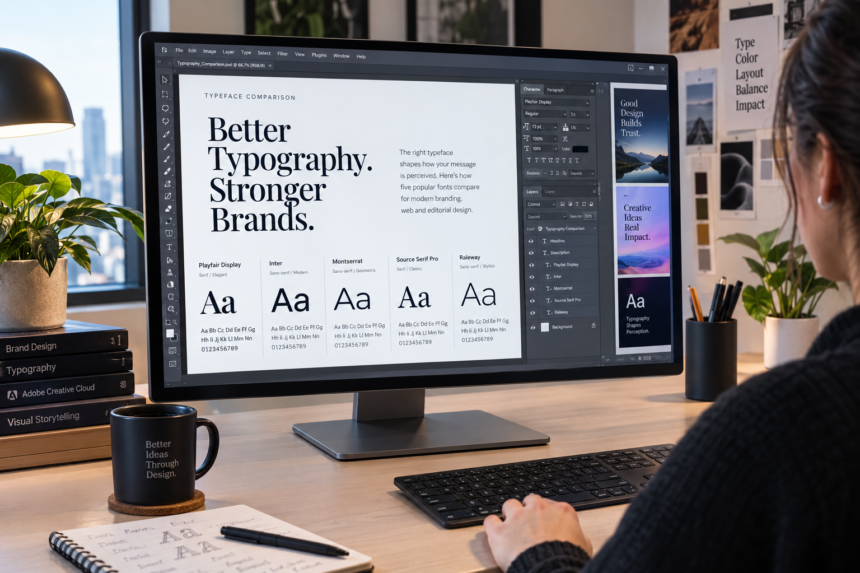
Adobe Fonts is Adobe’s font service, giving designers access to a large library for desktop projects, websites, PDFs, video and other creative work. Its biggest practical advantage is simpler font discovery and licensing compared with managing individual typefaces from many vendors.
For anyone choosing typography for a website, presentation, brand identity or creative project, Adobe Fonts can be a useful starting point. The key is understanding activation, web projects, licensing and subscription access before building a design around a particular family.
What Are Adobe Fonts?
The service is a font library connected to Adobe Creative Cloud and related subscription plans. Adobe says its main service offers more than 30,000 font options, while some subscription levels provide access to a smaller introductory library. Fonts can be browsed by style, foundry, designer and other characteristics, then activated for supported applications.
The service is not simply a downloadable archive. For desktop use, fonts are added through the Creative Cloud desktop application. For websites, Adobe uses Web Projects and provides an embed method for serving selected fonts.
That distinction matters. A designer can activate a typeface for Photoshop, for example, without treating the font file as an asset that can be freely copied to another computer.
How Adobe Fonts Works
The basic workflow is straightforward:
- Search the library for a suitable family.
- Review its available weights and styles.
- Activate the required fonts for desktop use, or create a Web Project for a website.
- Apply the typeface in the relevant design or publishing tool.
- Keep subscription and licensing requirements in mind if the project remains active.
Adobe’s current documentation says desktop fonts are added through the Creative Cloud desktop app on supported operating systems. Web fonts are hosted by Adobe through its content delivery network rather than being self-hosted by the website owner.
Desktop, Web and Commercial Use
One reason the service is widely used is the range of ordinary design uses covered by its licensing. Adobe states that fonts from the library are licensed for personal and commercial use, including design projects such as images and vector artwork. Website publishing is also supported through Adobe’s web-font system.
There are boundaries. Adobe does not allow users to self-host its web-font files under the standard web licensing terms. Website fonts need to be delivered through the Adobe-provided embed system. Adobe also says the licensing does not cover embedding the fonts directly into mobile or desktop applications.
| Use case | Support | Key consideration |
|---|---|---|
| Photoshop or Illustrator design | Yes | Activate the required fonts |
| Website typography | Yes | Use a Web Project and embed code |
| Commercial graphics | Yes | Covered uses depend on the service terms |
| PDF creation | Yes | Follow Adobe’s embedding rules |
| Self-hosted web fonts | No | A separate license may be needed |
| App interface embedding | No | A separate foundry license may be needed |
Choosing a Font That Works
A large library is not necessarily an easy library to use. Good typography starts with the purpose of the design.
For a news or business website, readable sans-serif families can work well for body copy, while a distinctive serif can create stronger editorial character in headlines. A portfolio or creative brand may have more room for expressive display typefaces.
Look beyond the preview. Check the full family, available weights, italic styles, language support, numerals and punctuation. A typeface that looks excellent in a large headline can become tiring when used for hundreds of words.
It is also wise to limit the number of families. One strong display family paired with a highly readable text family is often easier to maintain than several unrelated typefaces.
💡 Pro Tip: Test your chosen font at the actual sizes used on the website before committing to it. A family that looks polished at 48px may have very different readability at 16px, especially on smaller screens.
Adobe Fonts for Websites
Web publishing is one of the most useful parts of the service, but it requires a slightly different approach from desktop activation.
Users can create a Web Project containing selected families and styles. The generated embed code then connects the site to Adobe’s font hosting. Adobe states that web fonts have no monthly pageview limit under its web-font service.
This can simplify deployment because the site does not need to store font files locally. It also means the website remains dependent on Adobe’s hosting service and the subscription that provides access.
Adobe notes that if a Creative Cloud subscription is cancelled, the web fonts will no longer be available through the service and websites will fall back to the fonts specified in the CSS font stack or browser defaults.
That makes fallback fonts important. A good CSS stack should preserve reasonable spacing and readability if the primary web font cannot load.
What About Font Licensing?
Licensing deserves attention whenever typography moves beyond a personal experiment.
The service covers many normal personal and commercial design uses, but it does not mean the underlying typeface can be redistributed as a standalone file. Adobe’s terms prohibit copying or moving font files in ways that give other people direct access to them.
Client work also needs care. Adobe explains that a client’s website should load the fonts through the client’s own Creative Cloud subscription, with an appropriate transfer process where available.
📌 Key Takeaway: Adobe Fonts can simplify font discovery, activation and web publishing, but the safest workflow is to treat font access and licensing as part of project setup rather than an afterthought.
Frequently Asked Questions
Are Adobe Fonts free?
The service is included with eligible Adobe subscriptions, while Adobe also offers a free access level with a smaller library. The exact library and capabilities depend on the subscription or account type.
Can I use Adobe Fonts for commercial projects?
Yes. Adobe states that the font library is licensed for personal and commercial use for covered uses. Specific situations, such as app embedding or redistribution, can require a separate license.
Can I use Adobe Fonts on my website?
Yes. You can create an Adobe Web Project and use the provided embed code to load selected web fonts. Adobe hosts the fonts rather than allowing standard users to self-host them.
Can I download Adobe Fonts and send them to a client?
Not under the standard terms. Adobe says the terms do not permit copying or moving font files, so clients who need the fonts should have appropriate access or a separate license.
What happens if I cancel Creative Cloud?
Websites using Adobe-hosted fonts will no longer receive those fonts through the service after cancellation. The site can fall back to the alternative fonts defined in its font stack.
Conclusion
Adobe Fonts offers a convenient way to explore and use professional typefaces across creative projects and websites. Its value is not only the size of the library but also integration with Adobe’s design ecosystem and licensing framework.
For a polished digital project, choose typography based on readability, hierarchy, device performance and long-term access. Once those factors are considered, Adobe Fonts can become a practical part of a reliable design workflow.