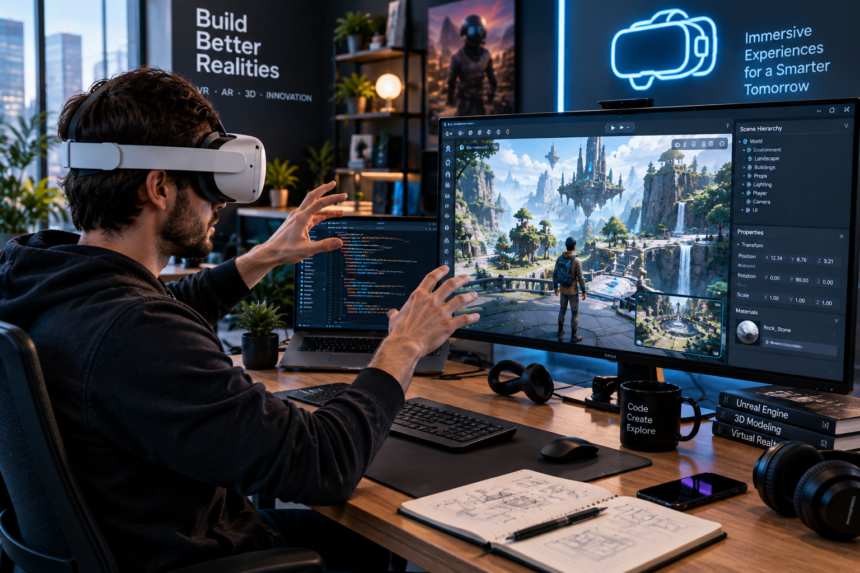
Virtual reality development involves creating interactive digital environments that users experience through VR headsets and motion-tracking systems. Unlike conventional apps, a VR application has to account for head movement, spatial interaction, three-dimensional environments, visual performance, and user comfort.
For businesses, educators, developers, and creators, virtual reality development can support applications ranging from immersive training and product visualization to gaming, education, architecture, and simulation. The development process combines programming, 3D design, interaction design, performance optimization, and hardware testing.
What Is Virtual Reality Development?
Virtual reality development is the process of designing, building, testing, and deploying applications for virtual reality devices. A typical experience uses a head-mounted display to present a computer-generated environment while tracking the user’s head, controllers, hands, or other forms of input.
Unity describes VR as an immersive environment in which the physical surroundings are replaced by an interactive computer-generated world. Modern VR can combine stereoscopic visuals, spatial audio, motion tracking, controllers, and haptic feedback.
The technology is no longer limited to games. VR can be used when placing someone inside a simulated environment provides a practical advantage over viewing information on a traditional screen.
How Does Virtual Reality Development Work?
A VR project usually starts with a clear experience rather than a technology choice. Developers first determine what users need to accomplish, what hardware will support the experience, and what interactions are required.
The development process commonly includes:
- Planning: Define the audience, objective, environment, interactions, and target devices.
- Prototyping: Build a simplified version to test the core experience.
- 3D production: Create or acquire environments, characters, objects, animations, and other assets.
- Programming: Implement interactions, movement, menus, physics, audio, and application logic.
- Optimization: Improve rendering and performance for the target headset.
- Testing: Evaluate usability, tracking, comfort, bugs, and device compatibility.
- Deployment: Build and distribute the finished application through the appropriate platform.
Unity’s current VR development documentation includes XR plug-ins, interaction tools, hand tracking, project templates, and support for multiple VR and mixed-reality platforms.
Key Technologies Used in Virtual Reality Development
The technology stack depends on the project, but several components appear frequently.
| Development Area | Typical Role |
|---|---|
| Game engine | Builds scenes, logic, rendering, and interactions |
| Programming | Controls application behavior and interactions |
| 3D assets | Creates environments, objects, and characters |
| XR framework | Connects applications with supported VR hardware |
| Motion tracking | Tracks head, hands, controllers, or other movement |
| Spatial audio | Places sounds within the virtual environment |
| Optimization tools | Helps maintain appropriate performance |
| Testing hardware | Reveals real-world usability and compatibility issues |
Unity is one commonly used development environment, and its current XR framework supports platforms through provider plug-ins. OpenXR is among the supported approaches, alongside platform-specific options.
Unreal Engine is another established option for real-time 3D development, particularly for projects where high-end visual presentation is a major requirement.
Skills Needed for Virtual Reality Development
A developer does not necessarily need to master every discipline involved in a large VR project. Teams often divide responsibilities among programmers, 3D artists, designers, technical artists, producers, and QA specialists.
Programming remains important because interactive experiences need logic behind movement, object interactions, menus, physics, and other behaviors. Unity’s official learning pathway, for example, recommends basic Unity and programming knowledge and covers custom interactions, deployment, and performance optimization.
Useful skills include:
- C# or another relevant programming language
- Unity or Unreal Engine experience
- 3D mathematics and spatial reasoning
- 3D modeling and animation knowledge
- User experience and interaction design
- Lighting and rendering
- Performance optimization
- Testing and debugging
- Familiarity with XR hardware
Someone beginning from scratch can start with basic programming and real-time 3D concepts before moving into more specialized VR development.
Where Is Virtual Reality Development Being Used?
The strongest use cases tend to be situations where immersion adds something that a conventional screen cannot provide as effectively.
Gaming remains a major area, but organizations also use immersive technology for training, simulation, education, architecture, industrial visualization, healthcare-related applications, and other specialized experiences. Unity identifies architectural visualization, medical training, industrial simulation, and therapeutic applications among areas where VR is used.
For training, a virtual environment can allow users to rehearse procedures without needing the complete physical environment. In architecture, people can explore a digital representation of a space before construction is complete.
Education can also benefit from experiences that place learners inside historical, scientific, or technical environments.
Designing for Comfort Matters
A technically impressive VR application can still fail if users become uncomfortable. VR introduces design considerations that do not exist in quite the same way on a normal monitor.
Motion sickness is one example. Unity’s documentation notes that discomfort can occur when camera movement does not match the user’s head movement. Maintaining appropriate frame rates, providing different locomotion options, and avoiding unnecessary camera movement can help reduce the problem.
Developers should also think carefully about:
- Movement speed
- Turning methods
- Object interaction distance
- Text readability
- Interface placement
- Session length
- Tracking reliability
- Visual clutter
💡 Pro Tip: Test the core interaction with real users before investing heavily in detailed 3D assets. If movement, navigation, or interaction feels awkward in a simple prototype, adding more visual detail will not solve the underlying usability problem.
Virtual Reality Development vs. AR and MR
VR is part of the broader extended reality landscape, but it should not be confused with augmented reality or mixed reality.
VR replaces the user’s surrounding view with a virtual environment. AR places digital content over the physical world, while MR combines virtual and physical elements in ways that allow them to interact. Unity groups VR, AR, and MR under the broader XR category.
That distinction affects both development and hardware decisions. A fully immersive training simulator may need VR, while an application that lets users see virtual objects on a real table may be better suited to AR or MR.
Choosing Hardware and Development Tools
Hardware selection should happen early because different devices have different capabilities and input methods. Developers need to consider tracking, controllers or hand tracking, display characteristics, processing requirements, supported APIs, and distribution channels.
Unity’s current documentation lists OpenXR support and platform-specific options for devices including Meta Quest, Apple Vision Pro, PlayStation VR, and Android XR devices.
The development tool should follow the project’s requirements rather than the other way around. A small training prototype may have very different technical needs from a visually intensive multiplayer VR game.
For readers interested in broader technology subjects, Paylocitys’ technology coverage includes practical articles covering modern devices, software, and digital tools.
Common Virtual Reality Development Challenges
VR projects can become expensive or technically demanding when requirements are not defined early. High-quality 3D assets can require significant production time, while poor optimization can cause performance problems on standalone hardware.
Other challenges include device fragmentation, complicated interaction design, accessibility considerations, user comfort, testing across hardware, and maintaining the application after launch.
The development team should therefore establish a target platform and minimum performance requirements before building the full experience.
📌 Key Takeaway: Successful VR development depends on more than impressive graphics. Strong interaction design, suitable hardware, stable performance, comfortable movement, and a clearly defined purpose are equally important.
Frequently Asked Questions
What programming language is used for Virtual Reality Development?
C# is widely used for VR development with Unity. Other engines and platforms can use different programming languages and development approaches depending on the project.
How long does it take to develop a VR application?
The timeline varies substantially. A simple prototype can be created relatively quickly, while a polished commercial application may require months or longer because of programming, 3D production, testing, optimization, and platform requirements.
Is VR development difficult to learn?
It can be challenging because it combines programming with 3D environments, interaction design, hardware considerations, and performance optimization. Beginners can start with basic programming and a game engine before progressing to more advanced XR concepts.
What industries use virtual reality?
VR is used across gaming, entertainment, education, training, architecture, industrial simulation, visualization, and healthcare-related applications. The appropriate use depends on the problem the experience is intended to solve.
Is Unity good for Virtual Reality Development?
Unity provides dedicated XR tools, VR templates, interaction components, hand-tracking support, and multiple platform options, making it a widely used environment for building VR experiences.
Conclusion
Virtual reality development combines software engineering, 3D design, interaction design, and hardware testing to create immersive digital experiences. Its applications extend well beyond gaming, particularly where simulation, visualization, or hands-on interaction can provide useful advantages.
A successful project begins with a clear purpose and target audience. From there, developers can select suitable hardware, build a focused prototype, test interactions, optimize performance, and expand the experience based on real user feedback. That practical approach gives VR projects a stronger foundation than simply prioritizing visual complexity.